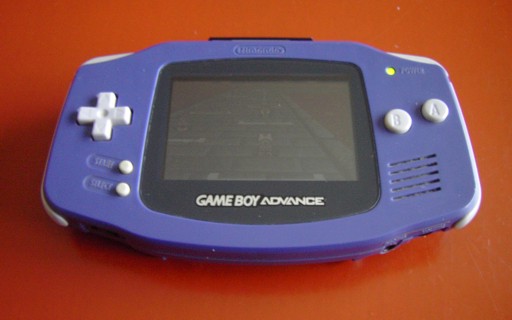
{*@fig:gba}: original GBA. |
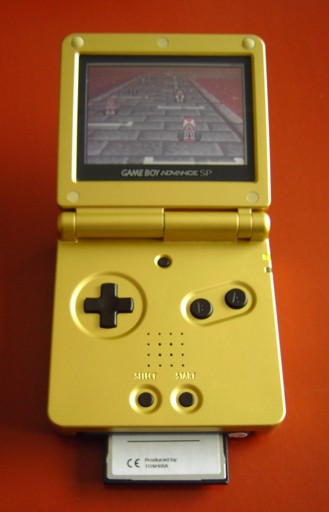
{*@fig:gba-sp}: GBA-SP. |
|
{*@fig:gba}: original GBA. |
{*@fig:gba-sp}: GBA-SP. |
| area | start | end | length | port-size | description |
|---|---|---|---|---|---|
| System ROM | 0000:0000 |
0000:03FF |
16 KB | 32 bit | Bios memory. You can execute it, but not read it (i.o.w, touch, don't look) |
| EWRAM | 0200:0000h |
0203:FFFFh |
256 KB | 16 bit | External work RAM. Is available for your code and data. If you're using a multiboot cable, this is where the downloaded code goes and execution starts (normally execution starts at ROM). Due to the 16-bit port, you want this section's code to be Thumb code. |
| IWRAM | 0300:0000h |
0300:7FFFh |
32 KB | 32 bit | This is also available for code and data. The 32-bit bus and the fact it's embedded in the CPU make this the fastest memory section. The 32-bit bus means that ARM instructions can be loaded at once, so put your ARM code here. |
| IO RAM | 0400:0000h |
0400:03FFh |
1 KB | 32 bit | Memory-mapped IO registers. These have nothing to do with the CPU registers you use in assembly so the name can be a bit confusing. Don't blame me for that. This section is where you control graphics, sound, buttons and other features. |
| PAL RAM | 0500:0000h |
0500:03FFh |
1 KB | 16 bit | Memory for two palettes contaning 256 entries of 15-bit colors each. The first is for backgrounds, the second for sprites. |
| VRAM | 0600:0000h |
0601:7FFFh |
96 KB | 16 bit | Video RAM. This is where the data used for backgrounds and sprites are stored. The interpretation of this data depends on a number of things, including video mode and background and sprite settings. |
| OAM | 0700:0000h |
0700:03FFh |
1 KB | 32 bit | Object Attribute Memory. This is where you control the sprites. |
| PAK ROM | 0800:0000h |
var | var | 16 bit | Game Pak ROM. This is where the game is located and execution starts, except when you're running from a multiboot cable. This size is variable, but the limit is 32 MB. It's a 16-bit bus, so Thumb code is preferable over ARM code here. |
| Cart RAM | 0E00:0000h |
var | var | 8 bit | This is where saved data is stored. Cart RAM can be in the form of SRAM, Flash ROM or EEPROM. Programatically they all do the same thing: store data. The total size is variable, but 64 KB is a good indication. |